
Azops Dental for Curve Dental
- We retrieve your schedule from the Scheduler
- We get your patient's plan and carrier from the Policy Information
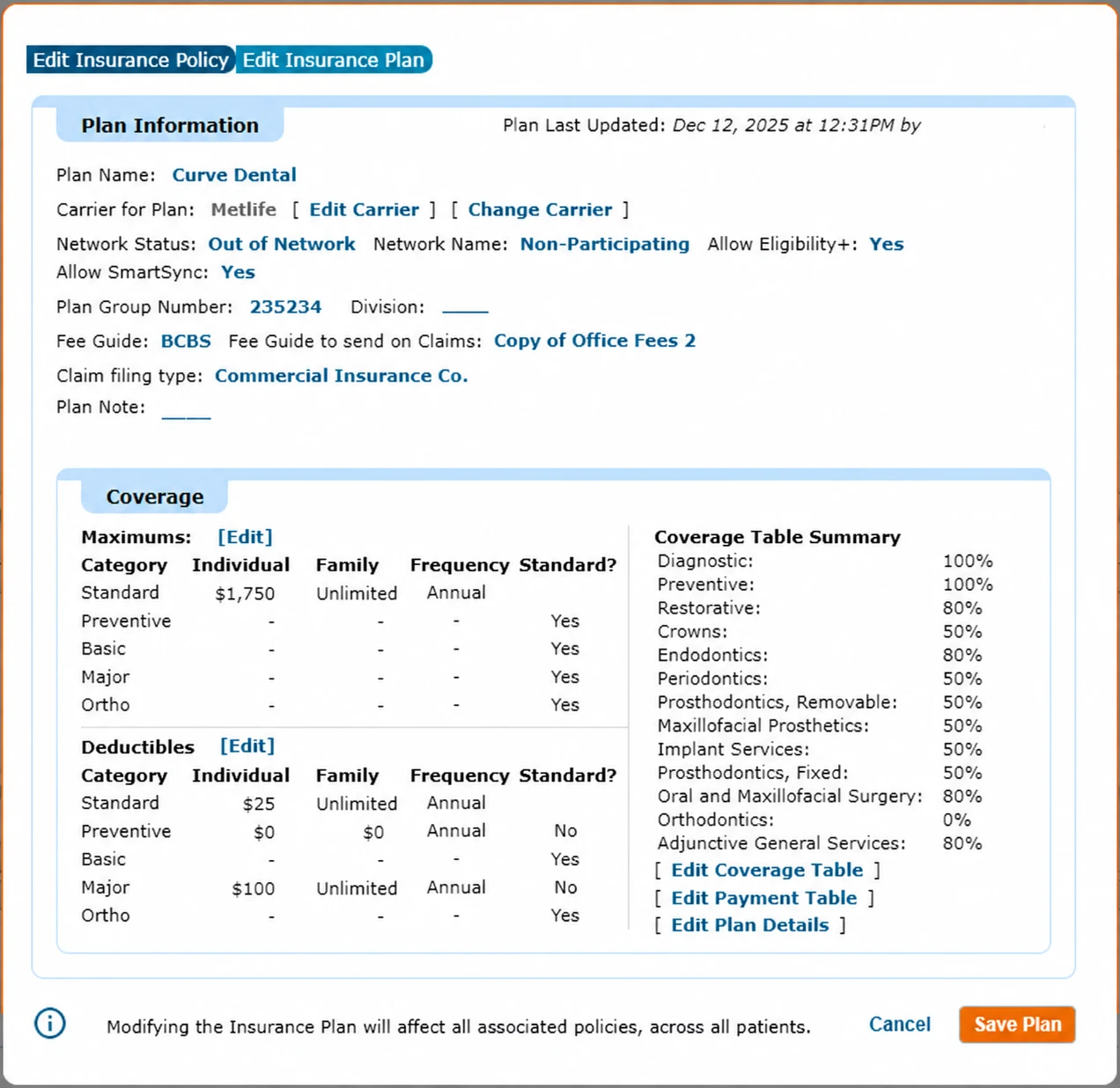
- We write in the Plan Information: Coverage and Plan Details
- We write in Outside Maximums Used, Outside Deductibles Used and Frequency History
- We write in the Plan Note
- We write in the Appointment Note
- We upload verification sources and full patient history in Files and Letters
- Our own connector reads and writes anywhere in Curve Dental, so we follow your workflow and the way your team documents benefits
- Nobody on your team re-enters anything
What does this image show? (Curve Dental Edit Insurance Plan with Plan Information and Coverage)
The Curve Dental Edit Insurance Plan window. Plan Information shows plan name, carrier, network status, plan group number, fee guide, claim filing type and Plan Note. Coverage shows maximums and deductibles by category (standard, preventive, basic, major, ortho) and the Coverage Table Summary with percentages by category, plus links to Edit Coverage Table, Edit Payment Table and Edit Plan Details.
We retrieve your schedule from the Scheduler.
Every new or rescheduled appointment in the Scheduler is picked up automatically. For each one we read the patient and everything attached to the appointment.
Procedure codes on the appointment, including codes your team defines in Curve Dental, can trigger different types of verification. We set those rules with you when we configure the integration.
What does this image show? (Curve Dental appointment with tags, procedures and appointment note)
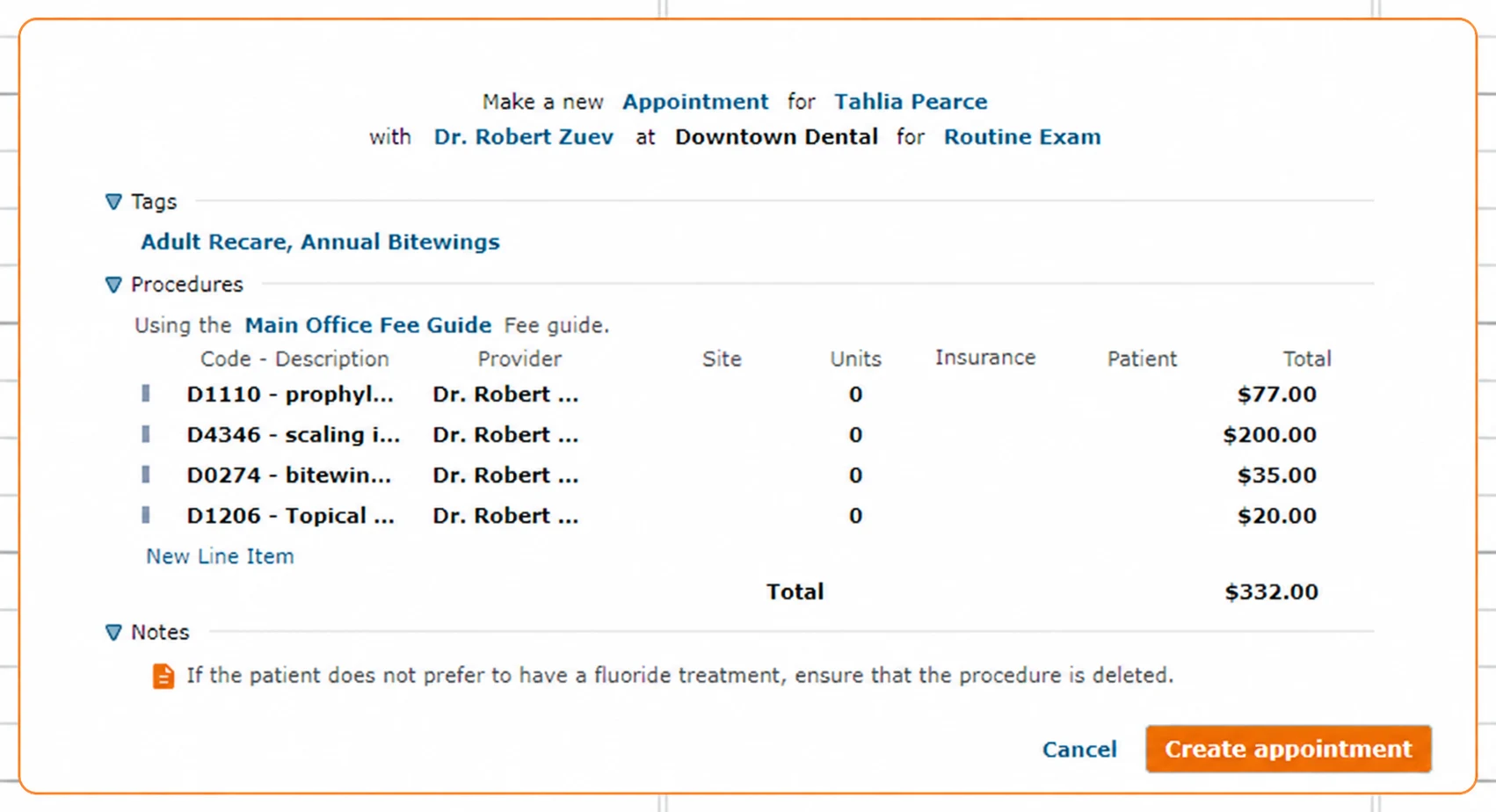
A new Curve Dental appointment for Tahlia Pearce with Dr. Robert Zuev at Downtown Dental for a Routine Exam. It shows the appointment tags (Adult Recare, Annual Bitewings), the procedures with CDT codes, provider, units and fees from the Main Office Fee Guide (D1110 prophylaxis, D4346 scaling, D0274 bitewings, D1206 topical fluoride, total $332.00), and the appointment Notes.
We retrieve the patient's plan from the Policy Information.
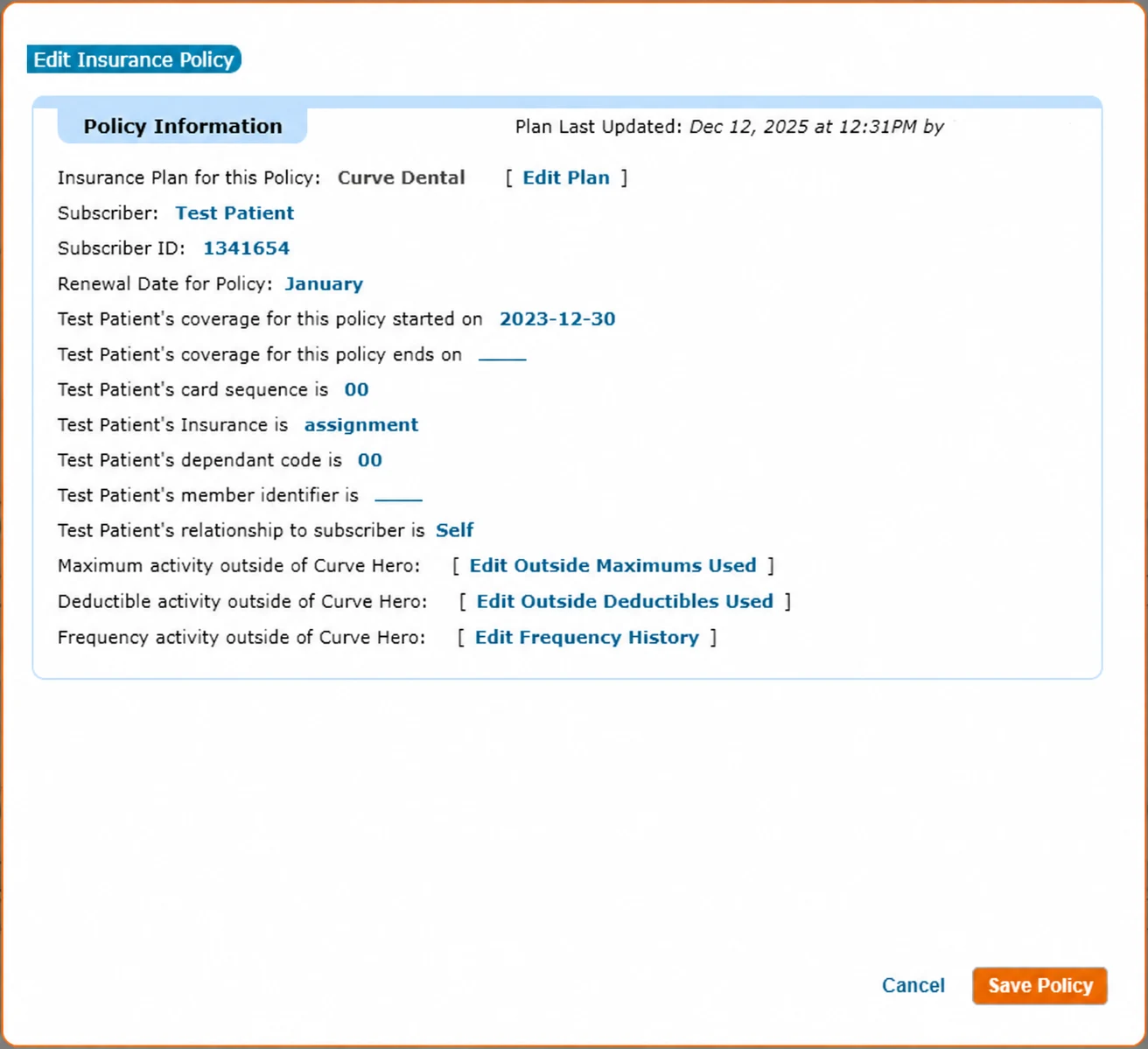
From the Policy Information → Plan Information → Carrier Information we read the plan attached to the patient: the carrier, the insurance line, the Subscriber ID, and the group number and existing Plan when there is one. When the patient is not the subscriber, we also read the subscriber's details.
What does this image show? (Curve Dental Edit Insurance Policy, Policy Information)
The Curve Dental Policy Information window: insurance plan for the policy, subscriber, Subscriber ID, renewal date, coverage start and end dates, card sequence, dependent code, member identifier, relationship to subscriber, and links to Edit Outside Maximums Used, Edit Outside Deductibles Used and Edit Frequency History.
The right Plan, with no duplicates.
In Curve Dental a carrier can have many Plans, and the group number is what usually identifies one. We handle the three cases your front desk runs into, so your Curve Dental list of Plans stays clean.
What does this image show? (Curve Dental Insurance Plans selector)
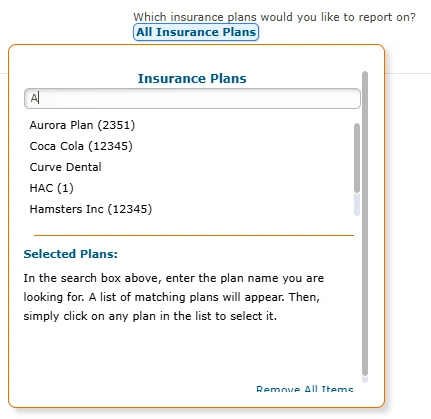
The Curve Dental Insurance Plans selector, searchable by plan name, listing the practice's existing plans with their group numbers.
Your team reuses a existing Plan.
Carrier and insurance line are already correct. When we write back, we refresh that Plan's benefits.
Your team creates a Plan with the group number.
When we write back, we add the verified benefits to it, and the next patient with that employer and group lands on an up-to-date Plan.
Your team picks an agreed placeholder Plan.
Only the carrier and insurance line need to be right. We get the group number through your custom verification form. When we write back, we select the matching Plan from your Curve Dental history, or create it when the plan is a group plan.
We write in the Plan Information: Coverage and Plan Details.
The verified breakdown is written on the Plan itself, so every patient who shares it gets current benefits in Curve Dental.
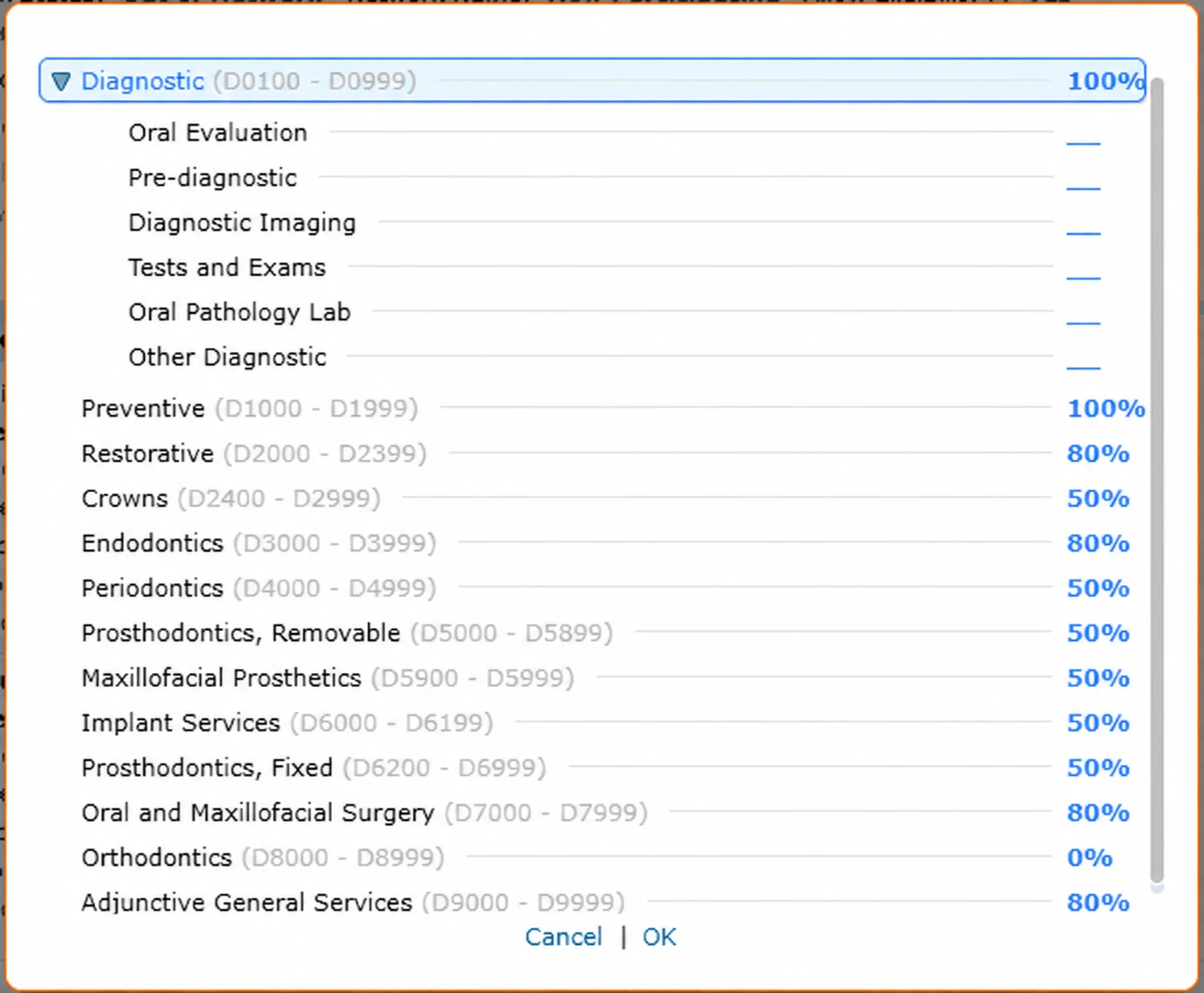
What does this image show? (Curve Dental Coverage Table by category and code range)
The Curve Dental Coverage Table: coverage percentages by category and CDT range, from Diagnostic (D0100 to D0999) with its subcategories through Preventive, Restorative, Crowns, Endodontics, Periodontics, Prosthodontics, Implant Services, Oral and Maxillofacial Surgery, Orthodontics and Adjunctive General Services.
We write in Outside Maximums Used, Outside Deductibles Used and Frequency History.
What belongs to the individual patient is written separately from the Plan: what they have used, what remains, and their history.
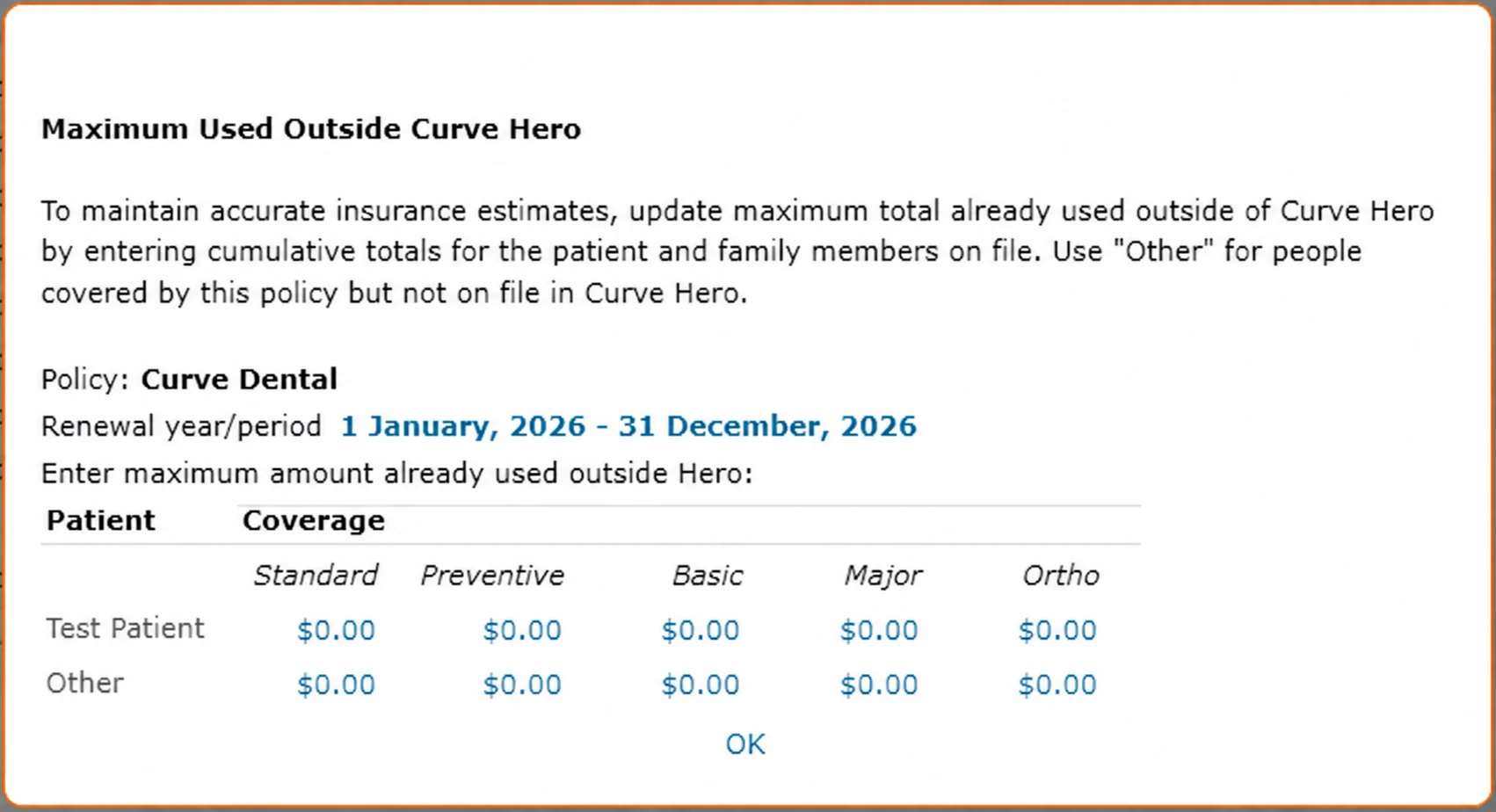
What does this image show? (Curve Dental Maximum Used Outside Curve Hero)
The Maximum Used Outside Curve Hero window: for the policy and renewal period, the maximum already used outside the practice by category (standard, preventive, basic, major, ortho) for each patient on the policy.
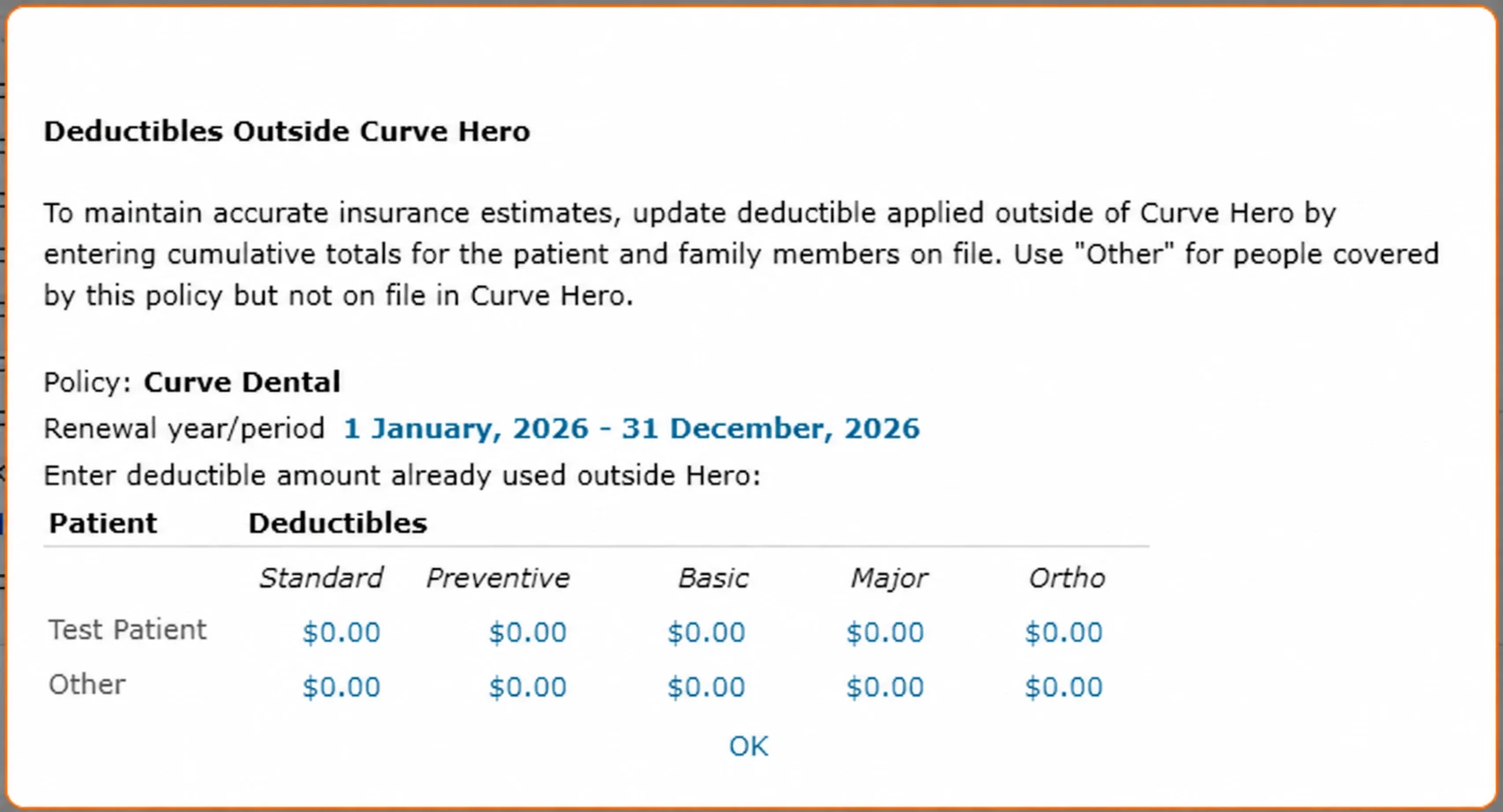
What does this image show? (Curve Dental Deductibles Outside Curve Hero)
The Deductibles Outside Curve Hero window: deductible already applied outside the practice by category (standard, preventive, basic, major, ortho) for each patient on the policy.
We upload verification sources and full patient history in Files and Letters.
Every verification leaves its documents on the patient in Curve Dental on the patient.
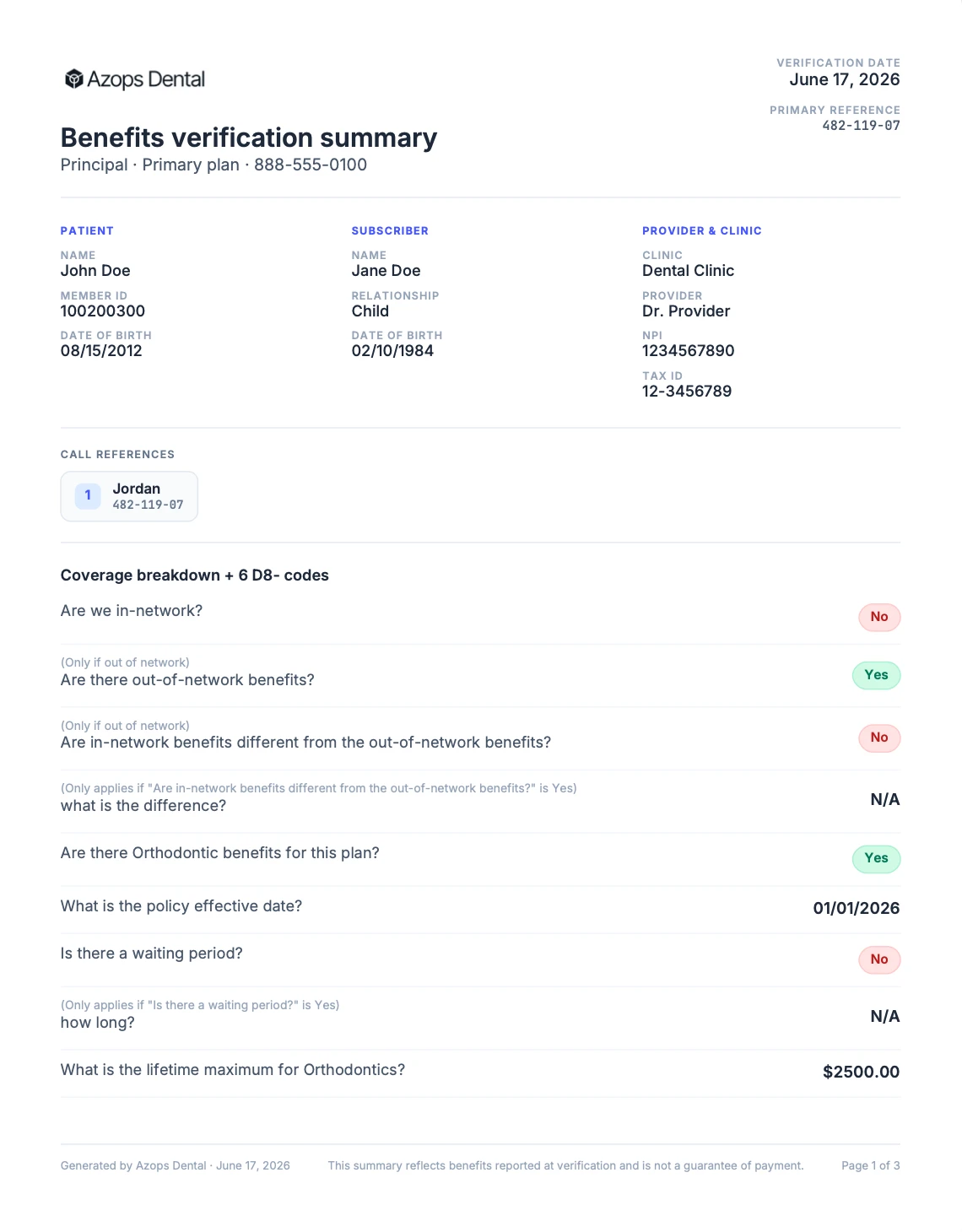
What does this image show? (Azops Dental benefits verification summary, page 1)
First page of the benefit breakdown PDF Azops Dental uploads to the patient record. It lists the patient (name, member ID, date of birth), the subscriber (name, relationship, date of birth), the provider and clinic (NPI, tax ID), the call reference with the carrier representative and reference number, and the coverage breakdown: network status, out-of-network benefits, orthodontic benefits, policy effective date, waiting periods and the orthodontic lifetime maximum. Later pages include the patient history.
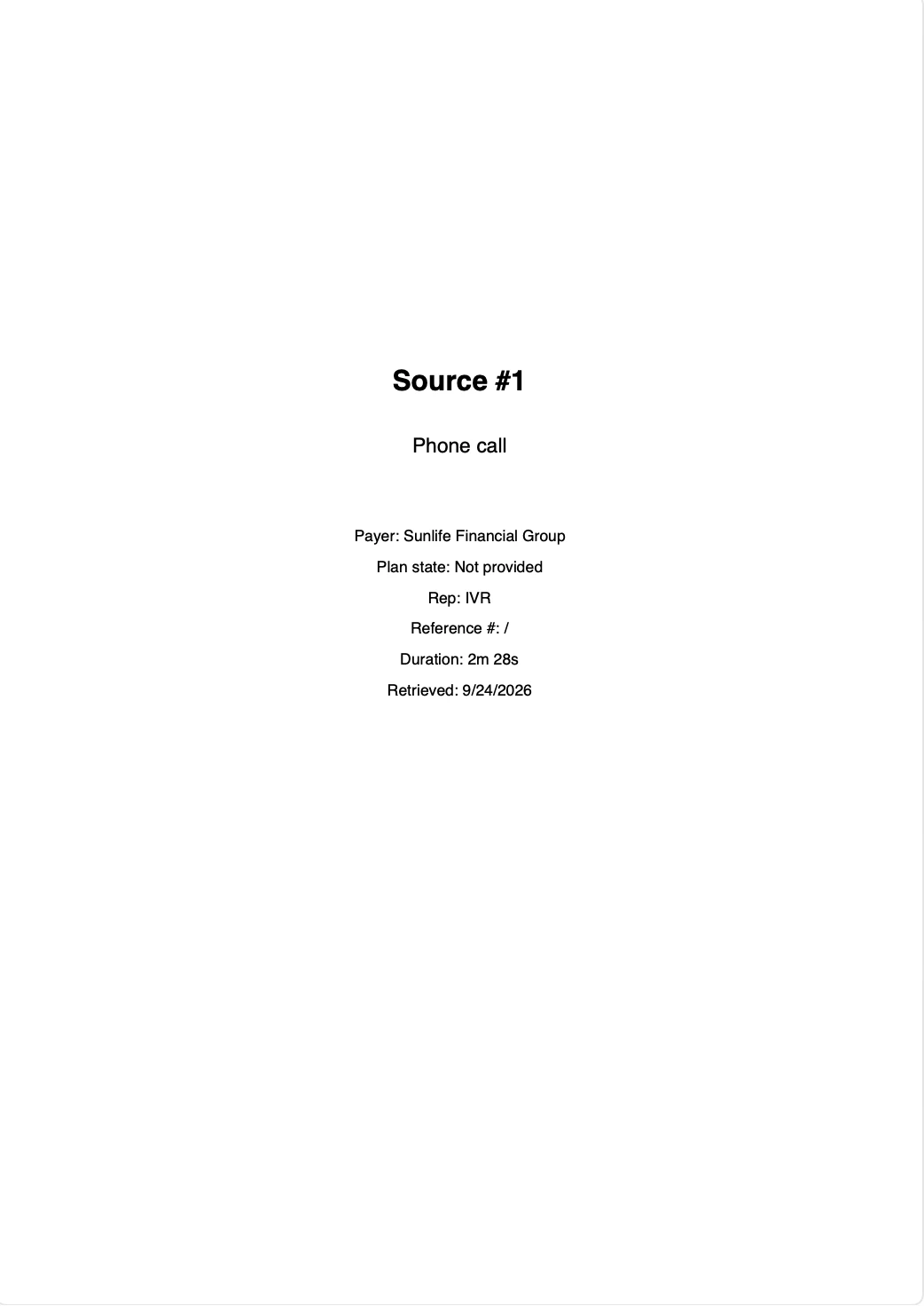
What does this image show? (Verification source document, cover page)
Cover page of a source PDF Azops Dental uploads alongside the breakdown. This source is a phone call to the payer, listing the payer name, plan state, representative (IVR), reference number, call duration and retrieval date. Portal captures and fax responses are uploaded the same way.
We write in the Plan Note and the Appointment Note.
Your team can see at a glance that the insurance was verified, for example with INS VER. in the Appointment Note. Any other note your team uses can be written too.
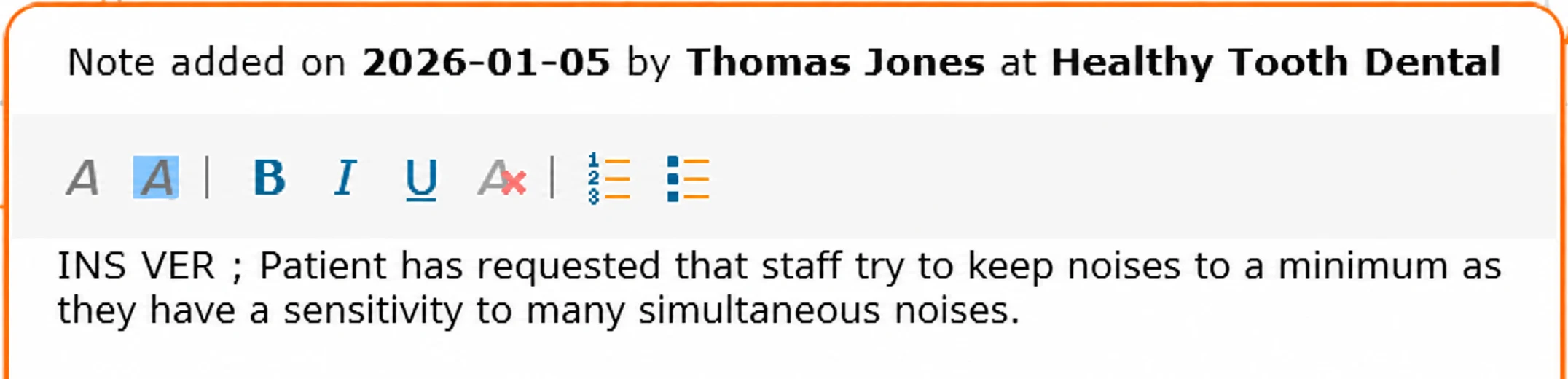
What does this image show? (Curve Dental appointment note marked INS VER)
A Curve Dental appointment note, added on 2026-01-05 by Thomas Jones at Healthy Tooth Dental, with "INS VER" written at the start of the note ahead of the existing note text, so the front desk sees the insurance was verified directly on the appointment.
Every appointment verified before the patient arrives.
We read appointments X days in advance and deliver complete results within one business day. Same-day appointments get an urgent portal check first.
Payer portal
The agent logs in to the payer portal. Every page is screenshotted.
Fax
Fax benefit summaries are requested and read.
Carrier call
Natalie calls the carrier for what the portal leaves out. Every call is transcribed.
Quality assurance
A specialist reviews every result before it is released.
Write-back
Benefits written and documents uploaded where your team works.

Azops Dental is an AI agent that automates dental insurance verification for dental clinics, saving practices 90+ hours per month.